









Places the order in the conversation
Creates the order inside Salla, Zid or Shopify and sends the payment link in the same WhatsApp thread. No redirect, no second app.
Answer every WhatsApp message in seconds, recommend from your live catalogue, and write the order straight into Salla, Zid or Shopify, in Arabic or English.
Powering Conversational Commerce For
Customers and partners using Revora
Four things a WhatsApp AI has to do before it earns a place on your busiest channel.
Creates the order inside Salla, Zid or Shopify and sends the payment link in the same WhatsApp thread. No redirect, no second app.
Runs the recommendation, the order and the support reply in whichever language the customer writes in. You set the tone from formal to conversational.
Meta bills every outbound reply. Revora closes the sale in one exchange and shifts repetitive support to channels Meta doesn't charge for.
You define what it answers, what it never touches and which cases escalate. Every reply is logged so you can review what was said.
Your customers already ask product questions, compare sizes and check prices inside WhatsApp. Most WhatsApp automation tools answer the question and send a link to checkout somewhere else. Revora carries the conversation to a placed order.
The buying questions land in WhatsApp all day. Revora answers them from your real store and closes the order in the same thread.

Order #7041 · Ribbed Ceramic Vase · SAR 129. Delivery in 2 to 3 days.
Ribbed Ceramic Vase · SAR 129
Complete your orderThe same thread that took the order answers where it is, in Arabic or English, and runs real actions against your store.
Return #RT-2098 · SAR 129 to card ending 4471
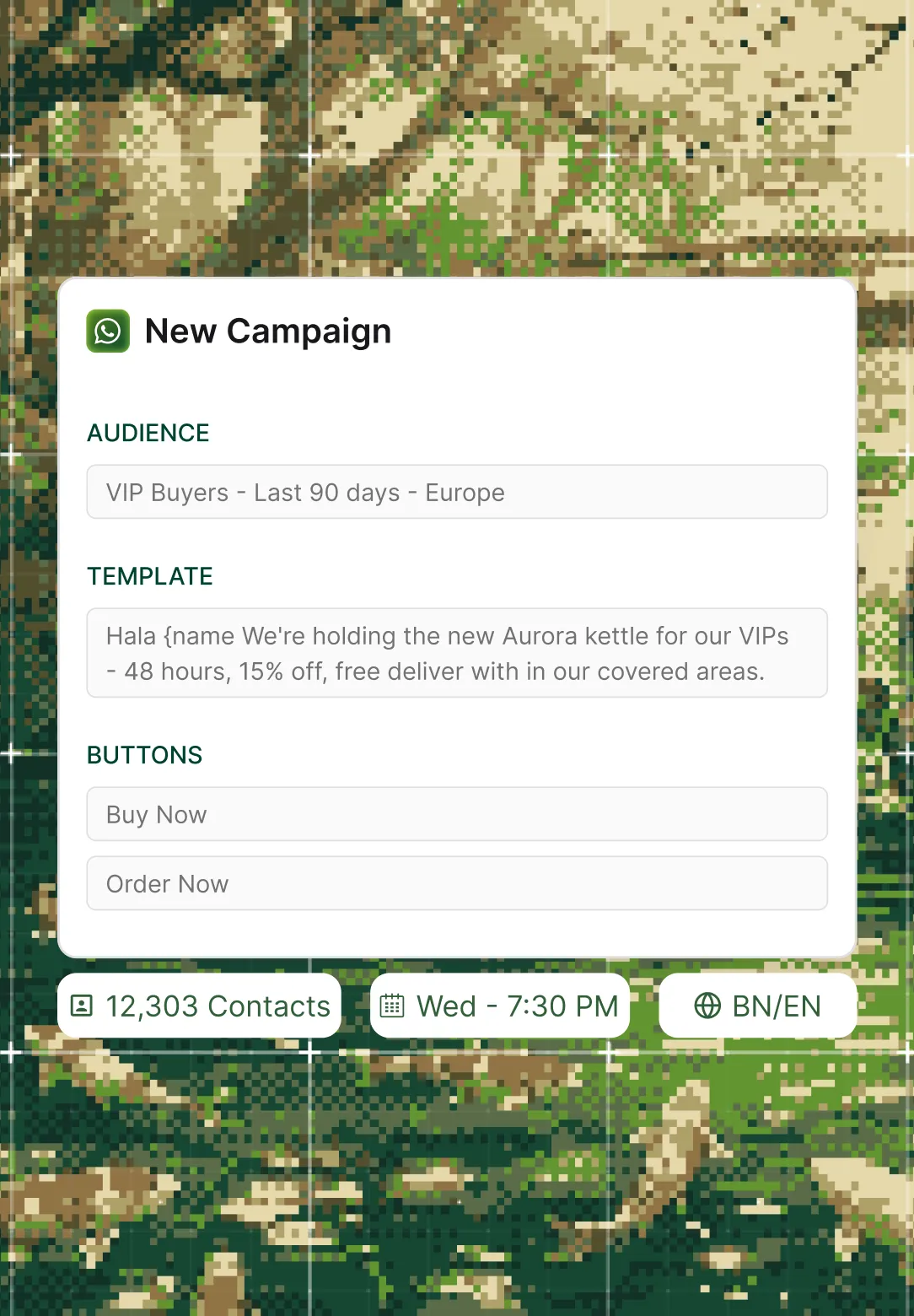
Send campaigns and transactional updates on approved Meta templates, and let the AI handle the conversation each one starts.
SAR 129 → SAR 224
Complete orderAutomated workflows that trigger on customer actions and store events, so your team never has to send these messages manually.
WhatsApp Business caps you at a handful of linked devices and no way to assign conversations. Revora replaces that limit with a shared inbox your whole team works from, alongside the AI.
Every conversation is visible to every team member. Assign threads, leave internal notes, and pick up where a colleague left off, without forwarding screenshots or asking "did you reply to this?"
The AI resolves what it can. When a conversation needs a person, it hands off with the full thread, the customer’s order history and what the AI already said, so nobody starts cold.
Every message, every action and every handoff is logged in one place. Your team sees the complete history of a customer’s WhatsApp thread, including what the AI did, not just the messages they personally sent.
An order placed from a WhatsApp conversation lands in the same store you ship everything else from. No second admin panel, no CSV export.
Syncs your catalogue, places orders and handles returns from the WhatsApp conversation.
Syncs your catalogue, places orders and tracks fulfilment from the thread.
Syncs your catalogue, places orders and generates checkout links from WhatsApp.
Searches products, places orders and reads your catalogue from the conversation.
The jobs the AI runs most on WhatsApp, from the first question to the return. Pick the one closest to how you sell.
Answered from your live catalogue, with the real price and real availability.
Order placed in your store, payment link sent in the same thread.
Answered from your store record, with a delivery timeline, no human needed.
Return initiated against your store's workflow, not a promise to follow up.
Conversation picked up with full context, not a cold restart.
Handled autonomously, so your team skips the overnight shift.
WhatsApp starts the conversation for most of your customers. But they also DM you on Instagram, comment on your TikTok, email your support inbox and chat on your website. The same AI, catalogue and guardrails handle all of them, from one shared inbox.
See all channelsWork through this with your team, not self-serve. A built setup is why the AI actually knows your products when it goes live.
Links the WhatsApp Business account you already run to Revora in a few steps.
Connects Salla, Zid or Shopify so the AI reads your live catalogue and order data.
Decides what the AI answers, what it never touches and which cases go to a person.
Built by a Forward Deployed Engineer against your real store. Live within days.
Software that answers your WhatsApp messages using your real catalogue and order data. The useful version does more than reply: it recommends products, creates orders inside your store, handles returns and "where is my order" queries, and hands off to a person when the conversation needs one.
Yes. The AI recommends from your live catalogue, creates the order inside Salla, Zid or Shopify, and sends the payment link in the same thread. The customer confirms payment through your existing provider. The order lands in your store before they leave the chat.
No. Revora is not a BSP (Business Solution Provider). Revora sits on top of the official WhatsApp Business API: the API handles message delivery, and Revora handles what happens inside the conversation, from product discovery to order placement to returns. Revora is a Meta Business Partner, so the connection uses approved API access.
Yes. Salla, Zid and Shopify all support catalogue sync, order creation, order status and returns from a WhatsApp conversation. WooCommerce is supported for product search, order creation and catalogue reads. An order placed from WhatsApp lands in the same store you already fulfil from.
Yes, and not as a translation layer. The product recommendation, the order and the support reply all work end to end in Arabic or English. The AI replies in whichever language the customer writes in, including when they switch mid-conversation. You set the tone and formality.
From 1 October 2026, Meta charges for every outbound service reply inside the 24-hour window at the utility template rate. This applies to every vendor on the official WhatsApp Business API, Revora included. The practical response is to handle more conversations on channels where Meta does not bill per message. Revora’s AI runs on 8+ channels, so a support thread that would cost a template fee on WhatsApp can resolve on Live Chat, Email or Instagram at no Meta messaging cost, with the same catalogue and guardrails.
Revora is a flat platform tier plus usage-based AI credits billed by session, so the platform fee does not climb with your message volume. The Support Agent is available from the Growth tier ($149). The Shopping Agent, which handles order placement, is on the Pro tier ($299). The pricing page has the full breakdown.
The AI answers only from your catalogue, policies and knowledge base, so it never invents a price or a return window. You set the tone, define topics it never touches and choose which cases always escalate to a human. Every WhatsApp reply is logged so you can review exactly what the AI said. You can start with support-only and add order placement once you have watched it work.
A chatbot follows a decision tree and hands off the moment a customer says something unscripted. Revora reasons over your catalogue, policies and order data, so it handles the unscripted question, completes the action and involves a person only by exception. You control the tone, and the AI reads buying intent instead of waiting for a keyword.
Yes. You can send promotional broadcasts to your customer list for product launches, seasonal sales and flash offers, all on approved Meta templates. Abandoned cart recovery, order confirmations and shipping updates are also sent via WhatsApp automatically. Revora integrates with Mo Engage, WebEngage and Insider so campaigns launch from your existing marketing tools and conversion data flows back.
Yes. Revora provides a shared inbox where every team member sees every WhatsApp conversation, can assign threads, leave internal notes and pick up where a colleague or the AI left off. There are no linked-device limits. When the AI hands a conversation to a person, the full thread, order history and everything the AI already said are attached.
Live within days. A Forward Deployed Engineer connects your WhatsApp Business account and your store, then builds the AI against your real catalogue and policies. It is fast, but a built setup, not an instant self-serve switch, which is why the AI actually knows your products when it goes live.
Book a demo. A 20-minute walkthrough, on your own store, so you can see the AI answer a real WhatsApp message and place the order.
Book a demoA 20-minute walkthrough, on your own store.