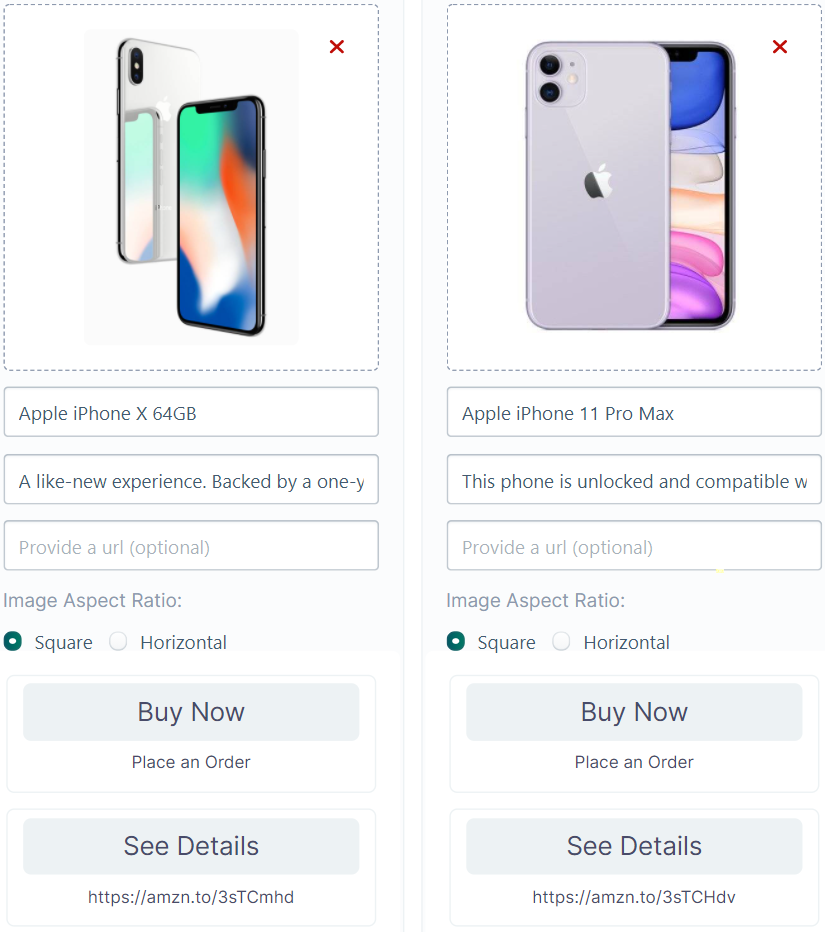
Gallery Block
Use Gallery blocks to showcase products/services in a click worthy format.
If you are new to this topic, please refer to our basic introduction to the Gallery Block and follow along.
The Gallery block showcases products, services, deals, and promotional offers in a website-like format inside a conversation.
Here is a step-by-step instruction to creating effective sequences using gallery blocks.
Anatomy of a Gallery Block
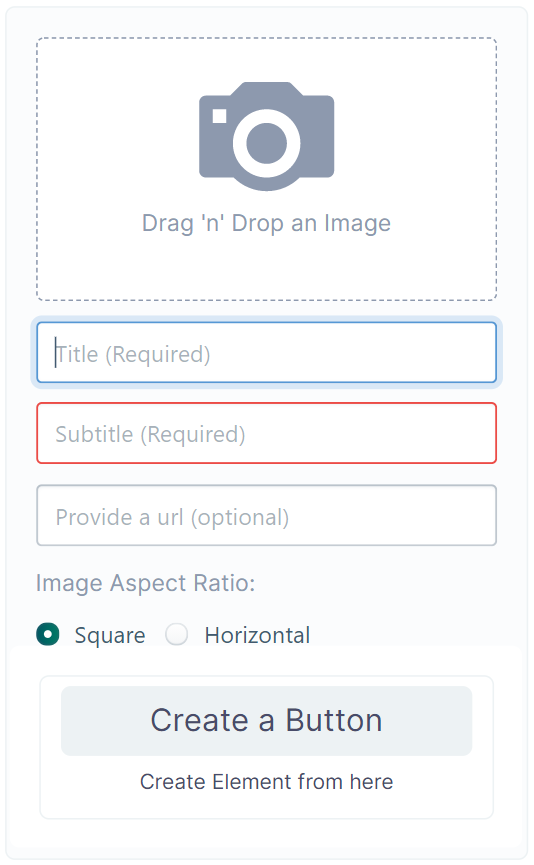
| Elements in a Gallery Block | Description |
|---|---|
| Image | The product image you want to showcase |
| Title | The name of the product |
| Subtitle | A brief description of the product |
| URL | do not understand |
| Image Aspect Ratio | The ratio of the product image |
| Create a Button | Your CTA |
Like button blocks, Gallery blocks can also redirect a user to another —
- Sequence
- URL
- Phone Number
- Datalab Forms
Create A Sequence with Gallery Block
Suppose you have a promotion going on. Naturally, you will have a lot of users coming into your inbox to ask for on-sale products. So, you can create gallery blocks to prompt users to buy straight from the inbox.
For example, here we are redirecting users to an order form if they click the Buy Now button or allow them to visit the website for See details.